
How to Download and Use SportyBet App in Nigeria
🎯 Download SportyBet app in Nigeria with easy steps! Register, explore payment options, and enjoy smooth mobile betting for football, basketball, and more today! 📱⚽
Edited By
Michael Abubakar
For many in Nigeria, online sports betting has become more than just a pastime—it's a fast way to engage with your favourite sports and potentially earn some extra cash. The SportyBet app stands out as a popular platform, thanks to its user-friendly interface and variety of betting options covering football, basketball, boxing, and more.
Downloading and using SportyBet isn’t complicated, but there are key steps every user should know to make the experience smooth and secure. This article is designed to walk you through the process, from the initial download, through registration, to placing your first bet. We'll also touch on how to fund your account safely using familiar Nigerian payment methods and provide tips for troubleshooting common issues.
Before you begin, ensure your smartphone meets basic requirements: at least Android 5.0 or iOS 10, with sufficient storage of about 50MB. A steady internet connection is also necessary to keep the app responsive during live bets.
Many Nigerians face challenges with app downloads due to storage limits or OS incompatibility—knowing what to expect helps you avoid these bottlenecks. Also, since betting apps are sensitive financial platforms, verifying you download SportyBet from an official source protects you from fake apps that can compromise your data.
By the end of this guide, you’ll have a clear roadmap not just on how to get the SportyBet app installed, but also how to navigate it confidently. That means understanding account creation, security features, various payment options like bank transfers and USSD payments, and how to get help when things don’t go as planned.
Let's get started and help you make the most of SportyBet, all while staying safe and in full control of your betting experience.
Knowing where to download the official SportyBet app is vital for a smooth betting experience in Nigeria. Using the right source ensures you get the genuine app, which runs securely, remains updated, and avoids unnecessary risks like malware or scams. This section guides you on how to obtain the authentic SportyBet app and steer clear of fake versions.
The simplest way to get the official app is directly from the SportyBet website. This guarantees the version you download is kept up to date and free from third-party tampering. When you visit the site, look out for a clearly marked ‘Download App’ button, usually positioned on the homepage or under the mobile section. By installing from the official site, you also get the latest features and bug fixes, which online communities often mention during ember months when app usage spikes in Nigeria.
SportyBet is officially available on Google Play for Android users and the Apple App Store for iOS users. This route offers an extra layer of security due to the stores’ screening processes. However, Nigerian users sometimes face region restrictions or delays in app updates from these platforms. In such cases, directly downloading from the SportyBet website remains better for immediacy. Still, if you can access it on Google Play or App Store, it ensures hassle-free installation with automatic updates.
Fake SportyBet apps circulate on unofficial websites, social media, or via WhatsApp links. These pose serious risks, from stealing personal details to corrupting your device with malware. Always verify the source before downloading. Never install apps from unknown pop-up ads or shared files unless confirmed via SportyBet's official communication channels. Look for app permissions during installation—if it asks for irrelevant access like contacts or SMS, that’s a red flag.
Always prioritise official sources and double-check with SportyBet’s customer support if in doubt. Nigerian betting users have lost funds and data to fake apps, so taking this precaution seriously will save you from losing your hard-earned ₦.
In summary, whether you decide to use the SportyBet website, Google Play, or the App Store, confirming that you have the official app is the first step for a secure and smooth betting journey.
Ensuring your device meets the SportyBet app's system requirements is essential for a smooth betting experience. Without the right specifications, you might face issues like slow loading, app crashes, or trouble placing bets. Whether you're using an Android smartphone or an iPhone, knowing what your device needs helps avoid unnecessary frustration.
The SportyBet app requires Android 6.0 (Marshmallow) or newer. Most mid-range or better smartphones bought in the last five years will meet this. For example, a TECNO Camon or Infinix Hot model from 2018 onwards should run the app fine. On the iOS side, the app supports iOS 11.0 and above. This means devices like the iPhone 6 and later versions can install the app without trouble.
Using outdated software often causes compatibility errors, which can stop you from opening the app or using some features. It’s wise to keep your phone’s software updated. To check your Android version, go to Settings > About Phone; for iPhones, check Settings > General > About.
The SportyBet app’s download size is modest, generally around 30-50 MB, but you should have at least 100 MB of free space for smooth installation and operation. This space accounts for temporary files and updates. Phones with very limited storage risk app crashes or failed updates.
Also, live betting and streaming within the app will consume mobile data. Depending on how often you bet live or watch match streams, data use can be significant. Betting over Wi-Fi is advisable to save on your mobile data bundle. For users relying on mobile data, consider buying data plans with generous daily or weekly bundles from MTN or Glo, especially during major football seasons.
Stable internet connectivity impacts your app experience. A steady 3G connection may allow basic betting features, but for live betting or quick updates, a 4G or LTE network works best. In congested areas like Lagos mainland during rush hour, signal fluctuation may affect performance.
If you live in a location with weak network coverage, using the app on Wi-Fi at home or visiting internet cafes helps. Also, disable background apps that consume bandwidth to prioritise SportyBet’s data flow. This improves real-time updates and reduces the chance of failed bet placements.

Tip: Always verify your network before placing high-stake bets. Connection drops can delay confirmation and potentially cause losses.
In summary, confirming your device software is up to date, ensuring enough storage, and using a reliable internet connection will enhance your experience with the SportyBet app in Nigeria. These considerations make your betting smooth and hassle-free, helping you enjoy the game fully.
Understanding the installation and set-up process for the SportyBet app is essential for any Nigerian user who wants a smooth betting experience. This section breaks down the steps for both Android and iOS devices, ensuring you avoid common pitfalls. Setting up your SportyBet account properly also guarantees quick access to all the betting features and secure transactions.
To install the SportyBet app on Android, start by visiting the official SportyBet website since the app might not always be fully available on Google Play due to store restrictions. After downloading the APK file, you need to enable "Install from Unknown Sources" in your device's settings, usually found under security or application settings. This allows your phone to install apps outside Google Play.
Once the APK is downloaded, tap the file to begin installation. The process is quick, but make sure you have at least 50MB free storage available to avoid errors. After installation, open the app and allow necessary permissions like location and notifications to get the best experience.
For iPhone users, the SportyBet app is usually available on the Apple App Store. Simply search for "SportyBet" and download it like any other app. If you don't find it immediately, consider checking your region settings, as sometimes apps appear based on localisation.
Once installed, open the app and check for any updates prompted on the screen. iOS will handle permissions automatically, but ensure you grant permissions for notifications and location tracking to keep up with live bets and real-time alerts.
After installation, you must create an account to access the app’s full features. Tap on "Sign Up", then enter your mobile number (linked to your Bank Verification Number—BVN for security) and create a password. SportyBet may require verifying your phone number through a one-time password (OTP) sent via SMS.
Once registered, verify your account further by uploading a valid form of ID like your National Identity Number (NIN), or driver’s licence. Verification safeguards your account and helps in smooth withdrawals later.
Taking the time to verify your account immediately avoids hassles during payment or withdrawal. If possible, link your Bank Verification Number (BVN) for added security and faster transaction processing.
Setting up your SportyBet account the right way positions you well for quick deposits, efficient withdrawals, and safe betting. It also keeps you in good standing with regulatory standards in Nigeria, ensuring your funds and data remain protected throughout.
This step-by-step installation and account setup process is straightforward but demands attention to detail. Follow these instructions carefully to maximize your betting ease and security on the SportyBet platform.
Understanding the features and navigation of the SportyBet app is essential for making the most of your betting experience. The app is designed to be user-friendly, catering to both new and seasoned bettors in Nigeria. Knowing where to find popular sports markets, how to place different types of bets, and navigating live betting options can save you time while maximising your chance of success.
SportyBet covers a wide range of sports, with football being the most prominent, reflecting Nigeria’s love for the game. Other sports like basketball, tennis, and volleyball are also available, ensuring variety for users. The app supports numerous bet types — from simple match outcomes to more complex accumulators and double chance bets. For example, you can bet on who will score first in a football match or predict the exact number of goals scored, offering flexibility that suits different betting styles.
One practical advantage of the SportyBet app is its live betting feature, which lets you wager on events as they unfold in real time. This means you can respond quickly to changes during a match, such as a key player’s substitution or a red card, adjusting your bets accordingly. In-play options include live odds updates and cash-out features, giving you more control over your stake. For instance, if a favourite team concedes a surprise goal, you might decide to cash out early to minimise losses.
The app’s interface is tailored for simplicity without compromising on functionality. Tabs and menus are clearly labelled, allowing users to switch between sports, bet types, and account details with little effort. The design accommodates Nigeria’s variable internet speeds by optimising page load times and making sure essential information, like live scores and odds, is easy to access. Moreover, the betting slip updates dynamically as you select options, giving instant feedback on potential winnings and placed bets.
Tip: Spend a few minutes exploring the app after installation to familiarise yourself with where key features are. This will help you bet more confidently and avoid mistakes.
Mastering these features not only enriches your betting experience on SportyBet but also guards against confusion and errors that can cost you money. The app balances depth and simplicity, which is particularly useful for users ranging from market traders tracking events during breaks to students betting casually in their free time.
Managing payments efficiently is a key part of using the SportyBet app in Nigeria. A smooth, reliable system for funding your account and withdrawing winnings ensures you can focus on placing bets without worrying about hiccups. Understanding the available payment channels, withdrawal processes, and any associated costs helps you plan better and avoid unexpected delays or charges.
SportyBet supports several popular Nigerian payment options to make funding your betting account straightforward. Most users prefer paying through local debit cards issued by major banks like GTBank, Zenith Bank, and Access Bank using Visa or Verve cards. USSD banking codes also present a convenient cashless method, especially if you do not have an internet data connection at hand. For example, you can transfer funds via your bank’s USSD code directly into your SportyBet wallet without opening the app.
Mobile money services such as OPay and PalmPay offer another quick funding route. You only need to link these wallets with your SportyBet account before making transfers. This is handy during ember months when fuel and power costs rise, and you want to reduce physical transactions.
Remember to check for minimum deposit requirements—these usually start from as low as ₦100 to accommodate casual bettors, but amounts can differ per payment method.
Withdrawing your winnings from SportyBet is generally smooth if you adhere to the app's verification rules. Before your first withdrawal, you must confirm your identity using means such as your BVN (Bank Verification Number) and NIN (National Identification Number). This step helps protect your funds and limits fraud.
Once verified, withdrawal requests can be made through your registered bank account. SportyBet supports major Nigerian banks for quick transfers, often completing transactions within 24 hours depending on network congestion. For example, withdrawing ₦50,000 to your GTBank account typically hits your bank wallet within a few hours.
Always double-check your withdrawal details to avoid delays. Incorrect account numbers or mismatched names can cause your funds to be held or reversed, causing avoidable frustration.
Transaction fees and betting limits matter when budgeting how much to stake or cash out. SportyBet usually does not charge direct fees for deposits. However, your bank or mobile money provider might apply standard service charges—sometimes ₦50 or 1% of the transaction—for transfers. It makes sense to confirm these with your provider.
Withdrawal limits vary depending on your account status. New users may experience daily withdrawal caps around ₦100,000, while verified users often enjoy higher limits—up to ₦1 million daily. The app clearly states these constraints during transactions, so keep an eye to avoid exceeding limits.
Always plan your deposits and withdrawals with these fees and limits in mind to maintain smooth betting experiences.
By understanding these payment and withdrawal processes, you stay in control of your SportyBet funds, ensuring your betting activities continue without interruption or unnecessary costs.
Using the SportyBet app in Nigeria should be a smooth experience, but like any digital platform, security and common issues require attention. Staying secure protects your funds and personal data, while understanding typical problems helps avoid unnecessary frustration. Here, we focus on practical advice to keep your account safe and ensure your betting journey stays hassle-free.
Your account details are the keys to your SportyBet wallet—treat them like gold. Avoid sharing your login password or personal identification details with anyone, even close friends. Many users fall victim to scams because they disclosed their credentials. Always choose a strong, unique password combining letters, numbers, and symbols, and change it every few months.
Enabling two-factor authentication (2FA) is highly recommended where possible; it adds an extra layer by requiring a code sent to your phone when logging in. Be wary of phishing attempts—never click on suspicious links claiming to be from SportyBet support via SMS or email. Access the app only through official channels to reduce risks of compromised versions.
If the SportyBet app doesn’t install or you can’t log in, first check your internet connection. Many installation or login failures happen due to unstable or slow networks. Clear your device cache and restart your phone before trying again.
Occasionally, the app might require an update to fix bugs or improve security. Visit the official SportyBet website or your app store to download the latest version. Should you forget your password, use the "Forgot Password" option to reset it safely through your registered email or phone number.
Also, check your device’s storage and system requirements. For example, if you try installing on outdated software versions, the app might malfunction or refuse to open.
SportyBet has a dedicated support team ready to assist, whether you face payment issues, account verification problems, or technical glitches. When reaching out, provide clear details such as your user ID, the problem faced, and any error messages.
Support channels typically include in-app chat, official email, and a hotline number. Keep in mind that response times vary; patience helps, but don’t hesitate to follow-up if you don’t get a reply within 24 hours. Avoid using unofficial social media accounts for support, as they may not be reliable.
Staying alert, cautious, and informed is your best defence against fraud or technical troubles on SportyBet. Taking simple security steps ensures your focus remains on enjoying betting rather than fixing avoidable issues.
By following these tips, you can use the SportyBet app with confidence, knowing your account and funds are well-protected, and that help is close if you run into problems.
🎯 Download SportyBet app in Nigeria with easy steps! Register, explore payment options, and enjoy smooth mobile betting for football, basketball, and more today! 📱⚽
✅ Download and install SportyBet app fast with this guide 📲 Set up your account, bet on local and international games ⚽️ Secure payments in ₦ included 💸
Download SportyBet app in Nigeria 📱 with this detailed guide — from installation on Android & iOS, registration, payment methods, betting markets to reliable support. Get started safely and win big today! 🎯
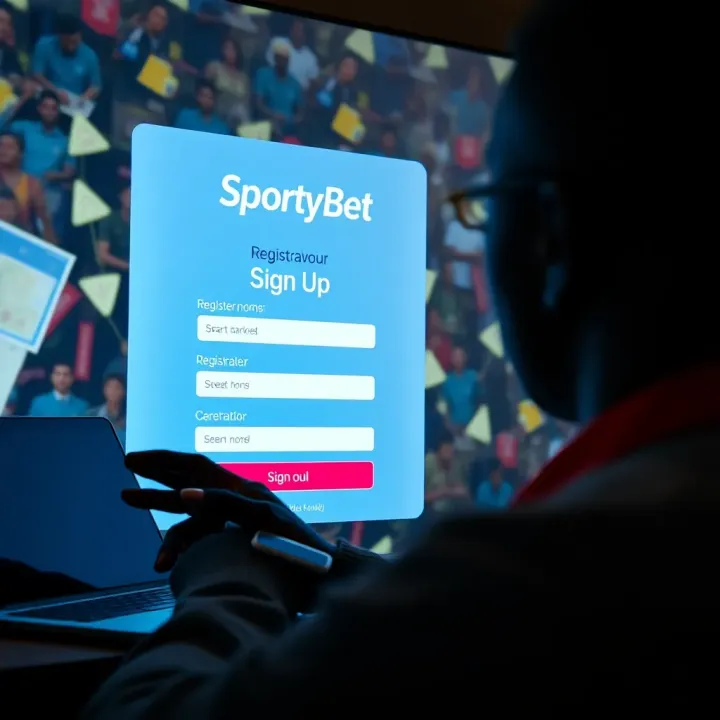
📱 Learn exactly how to download the SportyBet app safely on Android or iOS in Nigeria. Get tips on installation, fixing common issues, staying secure, and updating the app.
Based on 10 reviews